Introducing Snipset: The AI-Powered Text Expander Built for Speed
Discover Snipset, the privacy-first AI text expander built on Rust and Tauri. Learn setup, dynamic variables, and how to eliminate repetitive typing for good.

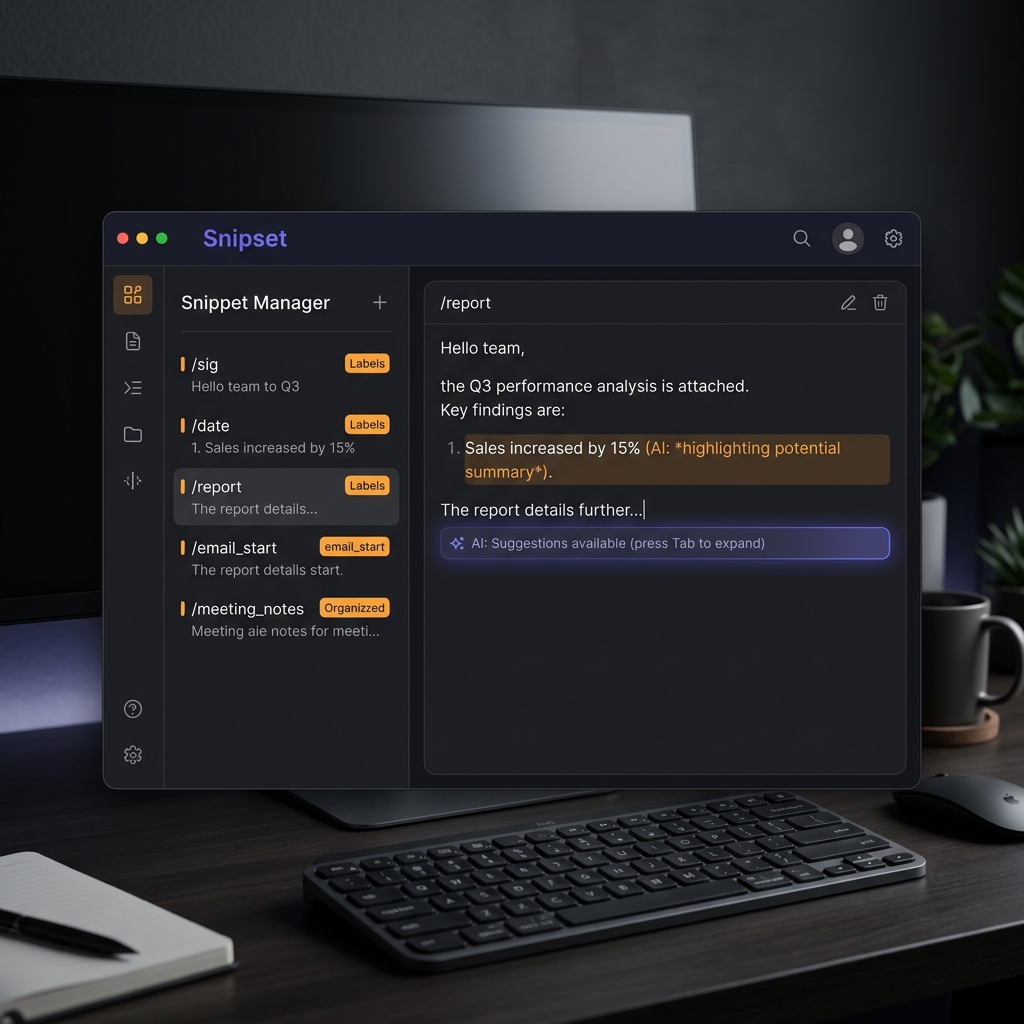
Imagine typing a two-letter abbreviation and watching your screen instantly produce a perfectly formatted paragraph, a full code snippet, or even a freshly generated AI response - all without leaving your current app. That is what Snipset does. Built on Rust and Tauri 2, Snipset is an AI-powered text expander and snippet manager designed for developers, writers, and power users who refuse to waste time on repetition.
What Is a Text Expander?
A text expander is a productivity tool that replaces short abbreviations with longer, pre-defined text the moment you finish typing them. Most people retype the same email signatures, code templates, database queries, or support responses dozens of times per week. A text expander reclaims that time instantly.
Snipset takes this concept further by embedding a local AI engine. When a static snippet is not flexible enough, you can write dynamic snippets that invoke Ollama models on your own machine - generating text, summarising clipboard content, or inserting live data like the current date and time.
Privacy isn't a policy. It's an architecture.
Everything in Snipset - your snippets, your AI chat history, your vector embeddings - stays on your device. No cloud sync, no telemetry, no subscription to a remote AI service.
Setting Up Snipset in Under Five Minutes
Getting started is intentionally straightforward.
1. Install Ollama (for AI features)
Snipset's AI capabilities require Ollama running locally on port 11434. Pull the models you need:
ollama pull llama3.2
ollama pull nomic-embed-text
The omic-embed-text model powers semantic search across your snippet library. The generation model handles #{ai:...} template variables.
2. Download and Install Snipset
Visit snipset.belajarcarabelajar.com/pricing to get your licence and download the Windows installer. Run the .exe and follow the standard setup wizard. Snipset registers as a startup application - a system tray icon appears immediately after first launch.
3. Verify the Global Hook is Active
Open Settings and confirm the keyboard hook status shows Active. This is the low-level Win32 hook that monitors keystrokes application-wide so Snipset can detect trigger words in real time.
Creating Your First Snippet
Open the main window with the global shortcut (default: Ctrl+Shift+Space). Click New Snippet and fill in the fields:
| Field | Example |
|---|---|
| Trigger | /sig |
| Label | Email Signature |
| Content | Best regards,\nIwan Kurniawan |
Save it, then type /sig followed by a space in any application - Notepad, VS Code, a browser form. Snipset detects the trigger, removes the abbreviation, and pastes your full signature instantly.
Dynamic Variables: Where Snipset Shines
Static replacement is useful. Dynamic snippets are transformative. Snipset supports a #{variable} syntax evaluated at expansion time:
| Variable | What It Inserts |
|---|---|
| #{date} | Today's date (ISO 8601) |
| #{time} | Current local time |
| #{clipboard} | Current clipboard content |
| #{ai:Summarise #{clipboard}} | AI-generated summary of clipboard |
Here is a snippet that drafts a professional reply to any email on your clipboard:
#{ai:Write a concise professional reply to the following email in under 100 words.

Email: #{clipboard}}
Because Ollama runs locally, none of this leaves your machine.
Semantic Search and the Snippet Library
As your library grows, Snipset's AI-powered search keeps everything discoverable. Every snippet is embedded using omic-embed-text and stored in a local SQLite vector index. Searching for "follow up" surfaces your "follow-up email template" even if those exact words are not in the trigger or label.
The sidebar also provides folder organisation and a tag system for grouping snippets by project, client, or workflow.
Scripting with Rhai
Power users can unlock a full scripting engine built on Rhai. Any snippet can run a Rhai script at expansion time - enabling conditional logic, loops, and string manipulation that go far beyond simple substitution:
// Insert a formatted date range
let today = timestamp();
let next_week = today + 7 * 86400;
format_date(today) + " - " + format_date(next_week)
See the scripting docs for the full API reference.
Pricing and Licensing
Snipset is licensed per user, not subscription-based. A single licence covers one device and includes all future updates within the major version. Compare Individual and Team tiers at the link below, or contact us via WhatsApp for Enterprise volume pricing.